top of page

iOS User's Manual

Please follow the setup steps listed below:

Connection & Pairing Instructions

DM_A3_EN+TW-L2-04.png
DM_A3_EN+TW-L2-03.png
DM_A3_EN+TW-L2-11.png
DM_A3_EN+TW-L2-05.png
DM_A3_EN+TW-L2-06.png
DM_A3_EN+TW-L2-07.png

Feature Overview

DM_A3_EN+TW-L2-08.png

Remove pairing

DM_A3_EN+TW-L2-10.png

Specifications

說明-02.png

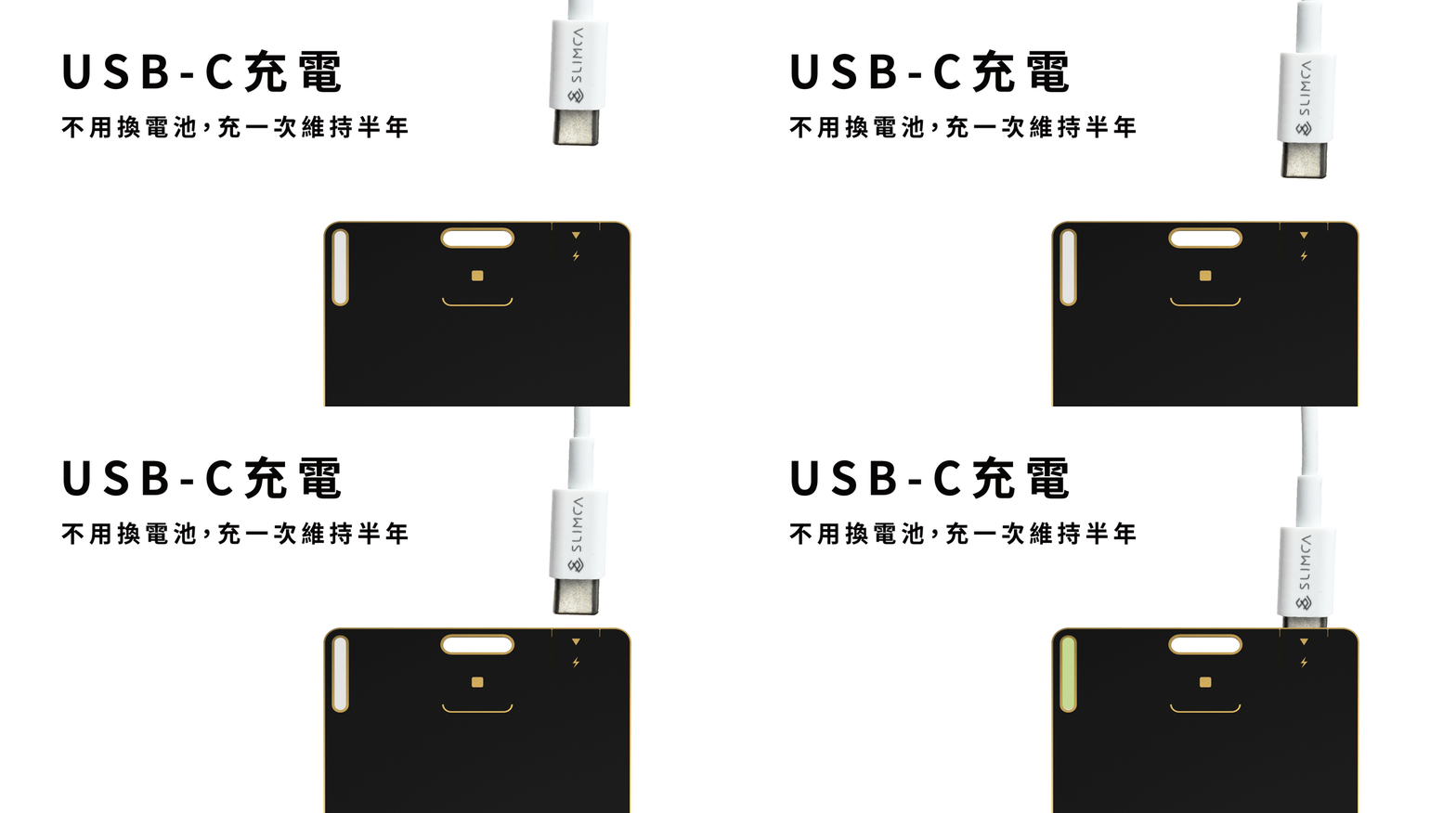
Charging Instructions

Compatible with all USB-C charging cables.

充電.gif

For first-time charging:
Gently tilt the USB-C connector slightly and carefully open the charging slot before inserting it.
The card is designed with enough space for the connector, so simply plug it in directly.

  • Plugged in : Green light on

  • Fully charged : Light turns off

  • Battery status:
    The battery level is shown in the app. If the battery is low, your phone will notify you automatically.
    Please make sure notifications in the Find app are enabled.

  • NOTE:We recommend charging with a low current, as it helps reduce battery wear.

連線配對操作

DM_A3_EN+TW-L2-12.png
DM_A3_EN+TW-L2-13.png
DM_A3_EN+TW-L2-19.png
DM_A3_EN+TW-L2-14.png
DM_A3_EN+TW-L2-15.png

功能說明

DM_A3_EN+TW-L2-16.png

解除配對

​功能對應情形

若卡片有任何異常請先參考此處對應功能進行排解。

說明(TW)-02.png

​充電方式說明

兼容於所有USB-C充電線

充電.gif

第一次充電時,請稍微將 USB-C 接頭側一點角度,並輕輕撐開卡片的充電處後插入。
卡片設計本身已預留充電接頭空間,請安心直接插入即可。

🔌 充電狀態說明:

  • 插上電源後 亮綠燈:表示正在充電

  • 充電完成後 燈號熄滅:表示已充飽

  • 電量情形:
    電量會顯示在APP上,若有電量不足的情形手機會自動通知您,也麻煩要記得開啟尋找的通知!

  • 建議:
    可以用小電流充,這樣對於電池的耗損相較快充會比較低

bottom of page